

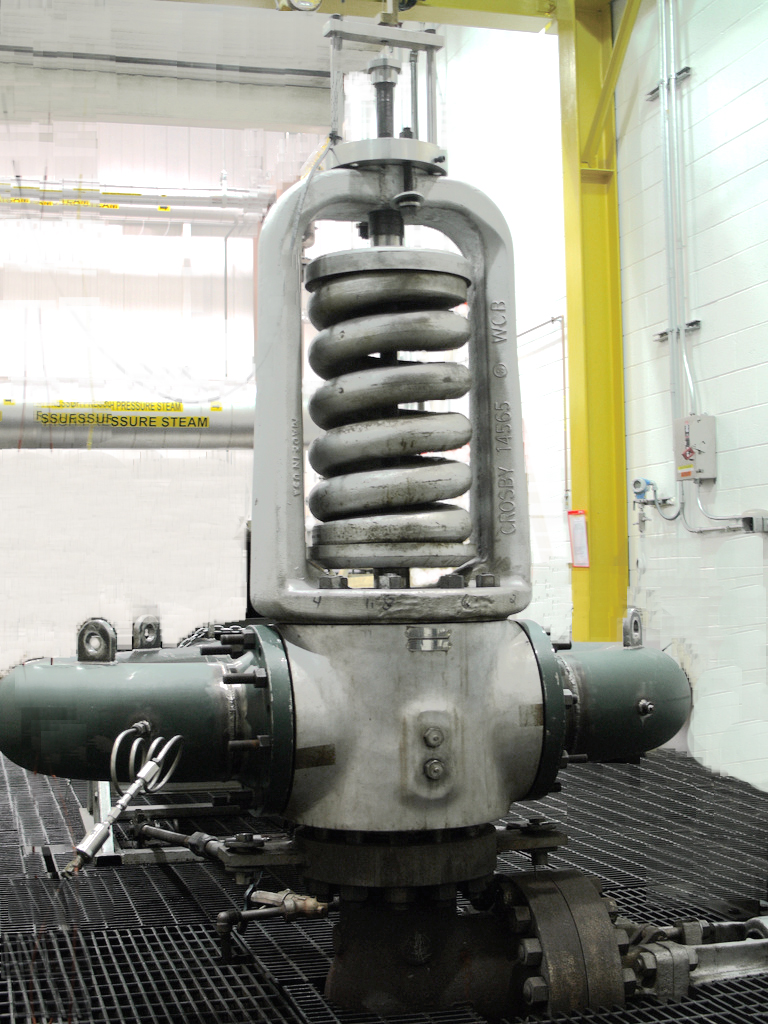
A pressure safety valve (PSV) protects pressure vessels and piping systems from excessive internal pressure. When a system reaches a predetermined pressure the PSV opens, a portion of the media discharges, and the pressure inside drops to a safe limit. Once the pressure reaches the valve’s reseating set point, the valve closes. Using a Crystal XP2i digital gauge for periodic pressure safety valve testing and adjustment of pressure safety valves is essential to maintain overall safety in Oil & Gas, Power Generation, Water/Wastewater, Aerospace/Aviation, Chemical/ Plastics, Steel Manufacturing, and many other industries. The most common test method for safety valves and relief valves is a bench test, performed in a workshop. Such tests typically occur in conjunction with disassembly, inspection, and repair.
Common Issues
- Accuracy of recorded data – During a conventional PSV test, some technicians carefully watch an analog test gauge to catch the PSV’s vent and reseat pressure. The potential for human error is inherent. Even two highly trained technicians observing the same test may record different results.
- Calibration record – Other than the manual recording from a technician, typical PSV tests have no documentation. In critical industries – such as nuclear, petrochemical, and chemical – an archived, electronic record of PSV testing may be important to prove proper safety precautions.
A Better Approach
Crystal has a better Solution. When you enable PSV mode in ConfigXP, your Crystal XP2i increases the peak update rate from 4 to 8 readings/second. You can follow these steps for testing pressure safety valves With a Crystal XP2i.
- Connect your XP2i to your computer with a USB to RS-232 cable.
- Turn on your XP2i, open ConfigXP, and connect to your gauge.
- Select Enable PSVtest mode and Enable Peaks.
- Click Update Gauge.
- Set up your test as normal, using the XP2i as your test gauge.
- Press the (peak) button repeatedly until the “HI” indicator blinks in the upper left of the XP2i’s display. Your XP2i now updates at 8 readings per second, constantly capturing and displaying the highest pressure it reads.
- Reset the peak value by pressing the (zero) button while the system is vented.
- Increase pressure until the safety valve opens. You do not need to watch the digital test gauge display during the test. Your XP2i will display the opening pressure.
After your test is complete you can adjust your pressure safety valve as normal, and then repeat steps 7 and 8.
Crystal Digital Gauge Applications
- Nuclear/Conventional Power Generation (Safety/Compliance Documentation, Testing in restricted areas, steam generator performance testing)
- Municipal Water/Waste Treatment (filter testing, sensor & gauge validation, process testing)
- Exploration & Production (wellhead testing, tubing & casing pressure graphing, chart recorder replacement)
- Transmission & Distribution (hydro-static testing, transmitter testing, custody transfer, pressure switch testing)
- Petrochemical Manufacturing & Refining (Intrinsically safe, light enough to climb towers, pressure relief valve testing)
Article provided by Crystal Engineering Corporation
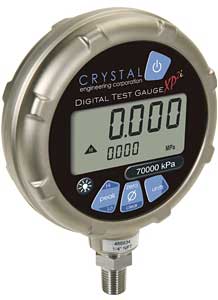 JM Test Systems rents & sells Dual Line Display – Order your XP2i with the -DD option and to see the Valve Vent Pressure and Live Pressure at the same time.
JM Test Systems rents & sells DataLoggerXP – Purchase & Activate this option to turn your XP2i into a 32,000 point data logger with an update rate of 1 reading per second, and a peak capture rate of 4 readings per second.
Download more information on the Crystal XP2i digital gauge.
